Claude tracker

Claude Rank Tracker: Track Brand Mentions and Citations in Claude

See when Claude recommends your brand, how it describes you, and which pages it cites. Keyword.com checks your prompts on a schedule so you can follow changes over time. Manage Claude tracking, other AI engines and Google rankings in the same account.

Start free trial

14-day free trial · No credit card required

Brand mentions Cited sources Sentiment Competitor leaderboard
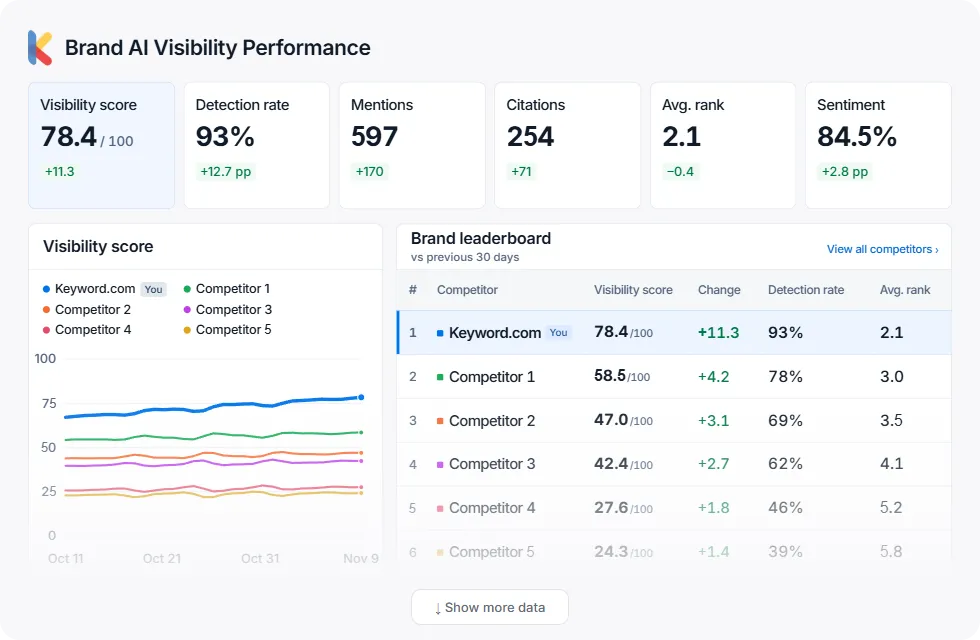
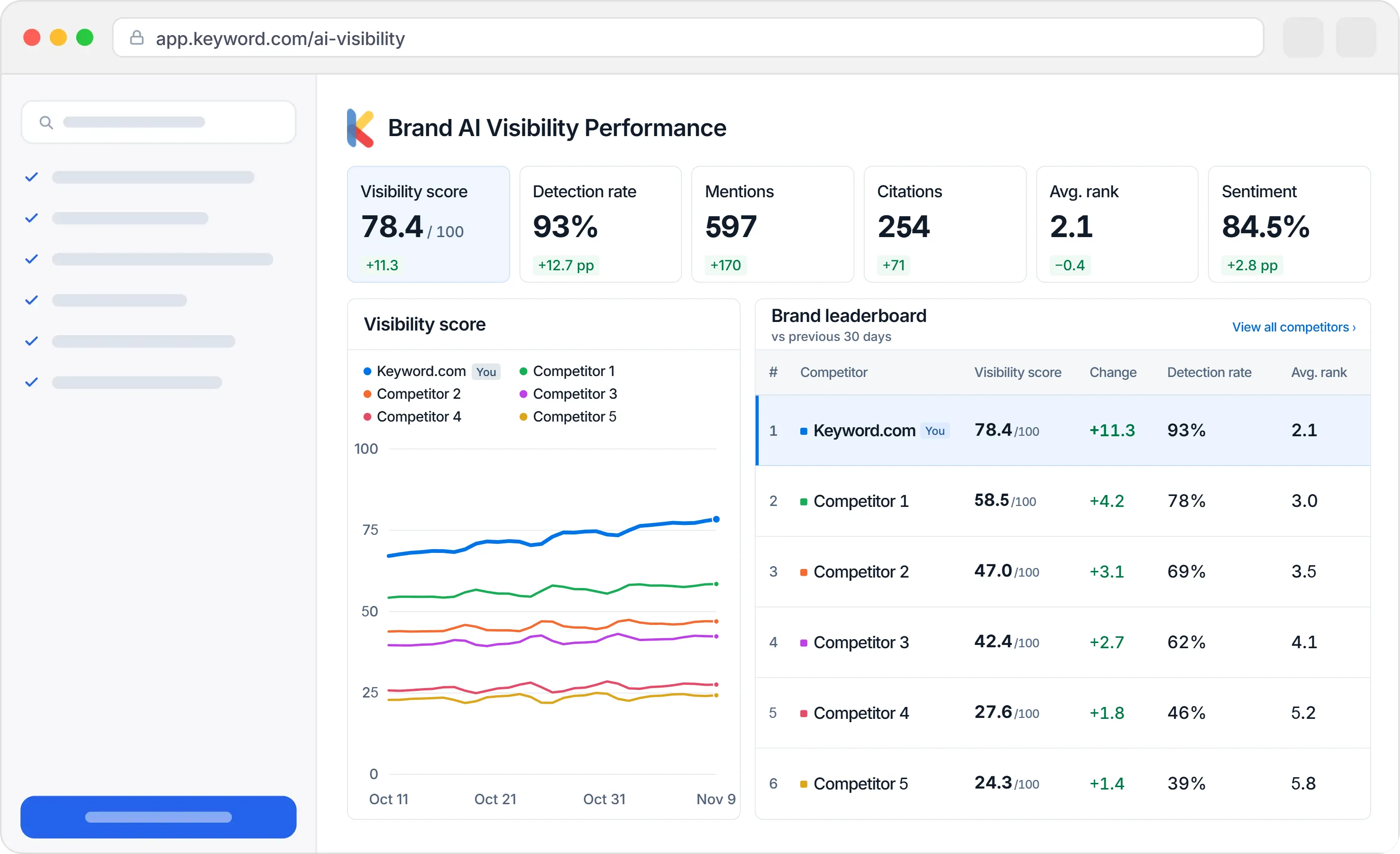
Keyword.com AI Visibility dashboard with brand visibility for Claude

What is it?

What is a Claude rank tracker?

People ask Claude which tools to buy, which agency to hire and how products compare. Google rankings do not tell you whether Claude recommends your brand. The Claude tracker is part of Keyword.com AI Visibility and records those answers.

Add the questions your customers would ask. Keyword.com runs them in Claude and records whether your brand appears, where it appears in the answer, how Claude describes it, and which competitors it names. Each run is saved, so you can compare this week with last month.

Start tracking Claude
AI search visibility across Claude and other AI engines

How a run works

How Keyword.com checks Claude

The Claude apps need a signed-in account, so there is no logged-out answer to check. We send each prompt through the Claude API with web search enabled. You can read the saved answer and check any sources it cites.

Web search on

Every run lets Claude search the web, so the answer can cite current pages, not only what the model learned in training.

Haiku and Sonnet

Track Claude Haiku, Claude Sonnet, or both. Haiku searches on every run. Sonnet decides whether to search, so some of its answers list no sources.

Your market

Each prompt runs for the country you choose. For a city, write it into the prompt, for example "best dentist in Austin".

Full answer saved

Open any run to read the answer Claude gave and every source it cited.

Brand sentiment in Claude answers

Mentions and sentiment

See what Claude says about your brand

For each prompt, see whether Claude names your brand and where it appears in the answer. The overview shows your visibility score, mentions, citations and average rank. It also shows your detection rate: the share of answers that mention your brand.

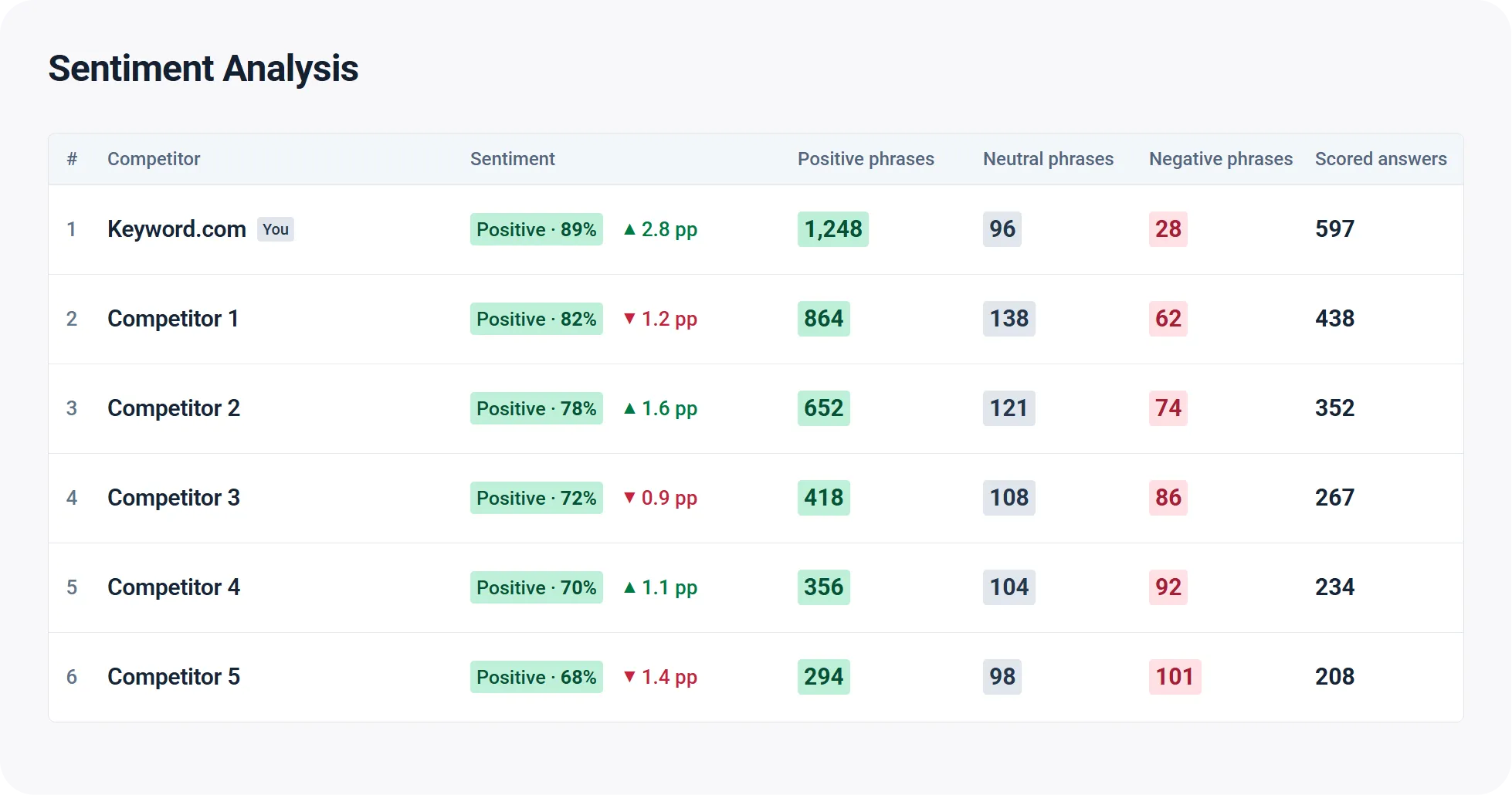
A sentiment score shows whether Claude describes you in a positive, neutral or negative way. Read the answer to check for problems, such as an outdated product description or confusion with another brand.

See every AI Visibility metric

Cited sources

Find the pages Claude cites

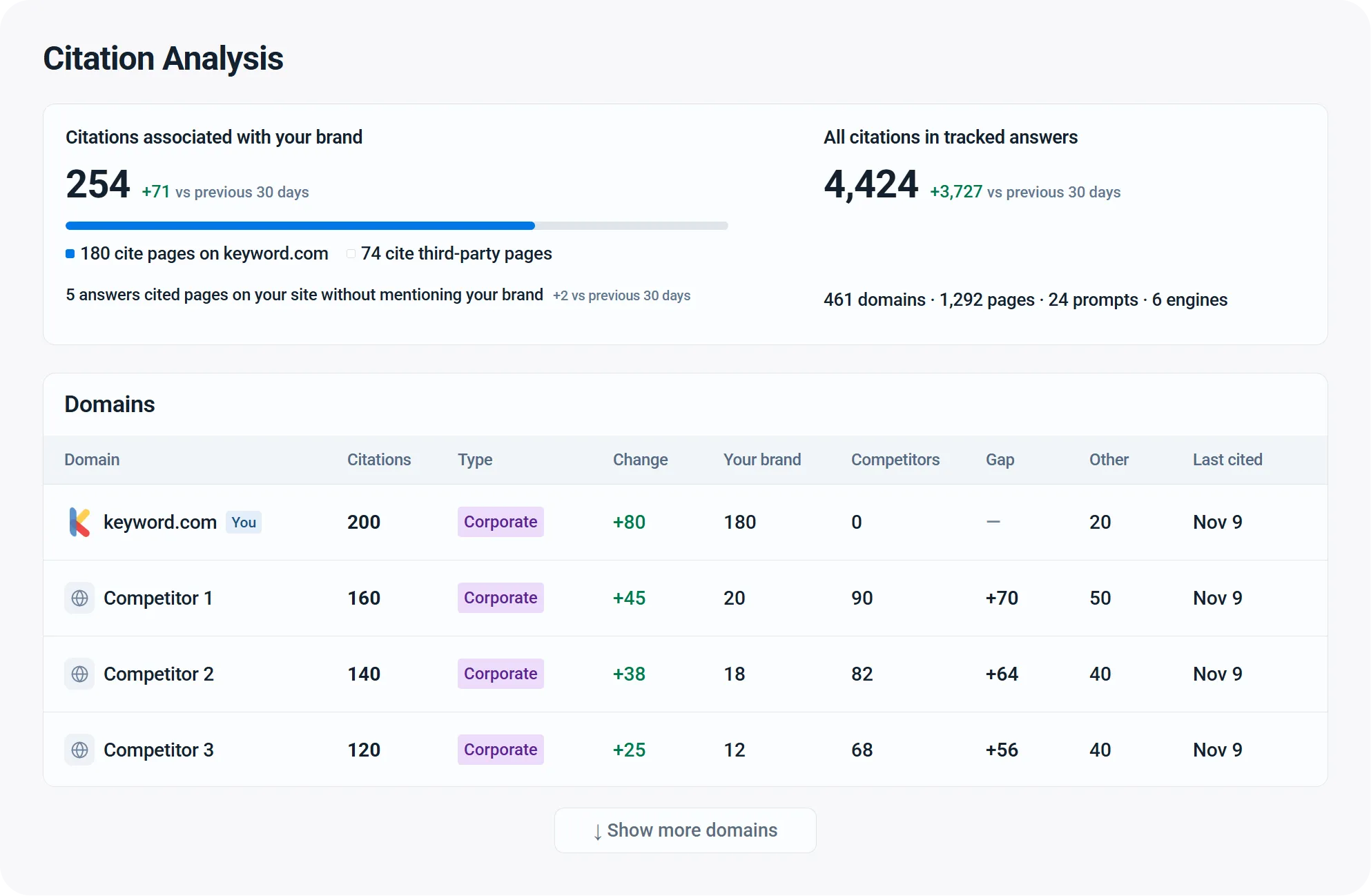
When Claude searches the web, it lists the pages behind its answer. Keyword.com collects those citations across all your prompts and shows which domains and which exact pages Claude relies on most.

If a review site or a competitor’s comparison page keeps coming up, review it for content and outreach ideas. You might update your own page on the topic or contact the publisher about including your brand.

Learn how mentions and citations differ
Sources cited in Claude answers
Competitors named next to your brand in Claude

Competitors

See which competitors Claude recommends

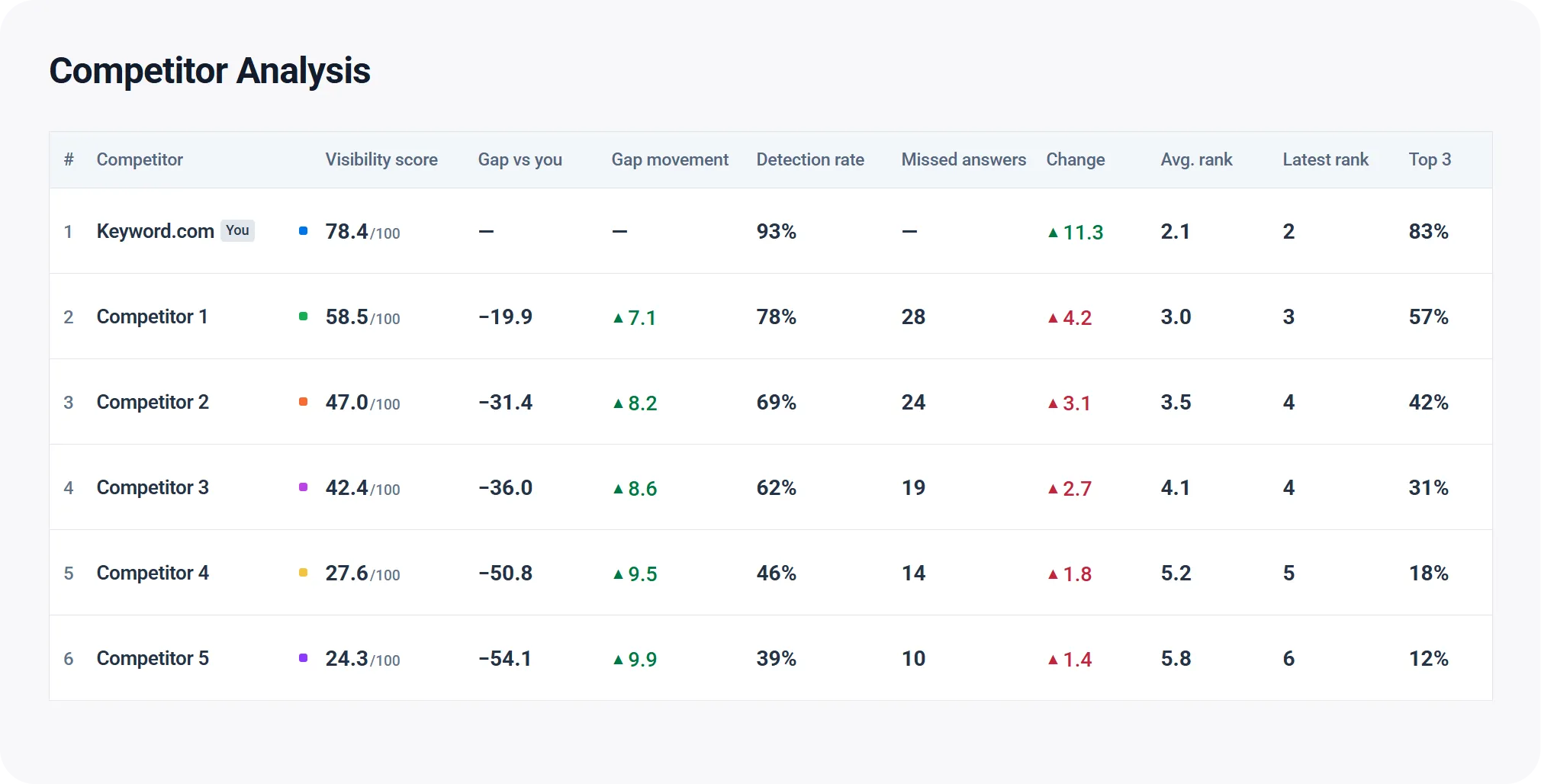
Keyword.com finds competitors in the answers, so you don’t have to add them yourself. The leaderboard ranks the brands Claude names for your prompts, and you can merge two names for the same brand. Compare their visibility with yours, find answers that mention them but leave you out, and see how often each brand appears in the top 3. Group prompts by topic and tag to see where your brand appears more often and where competitors lead.

Learn how to choose prompts to track

Setup

Start tracking Claude in three steps

Step 01

Add your brand and prompts

Enter your domain, your brand names and the questions your customers ask. Keyword.com finds competitors in the answers.

Step 02

Pick Claude and a schedule

Choose Claude Haiku, Claude Sonnet or both, plus any other engines. Run daily, every 2 days, weekly, every 2 weeks or manually.

Step 03

Read the results and report

Check mentions, citations and competitors after each run, then send the client a read-only link to the same dashboard.

Reporting for agencies

Report Claude visibility to clients

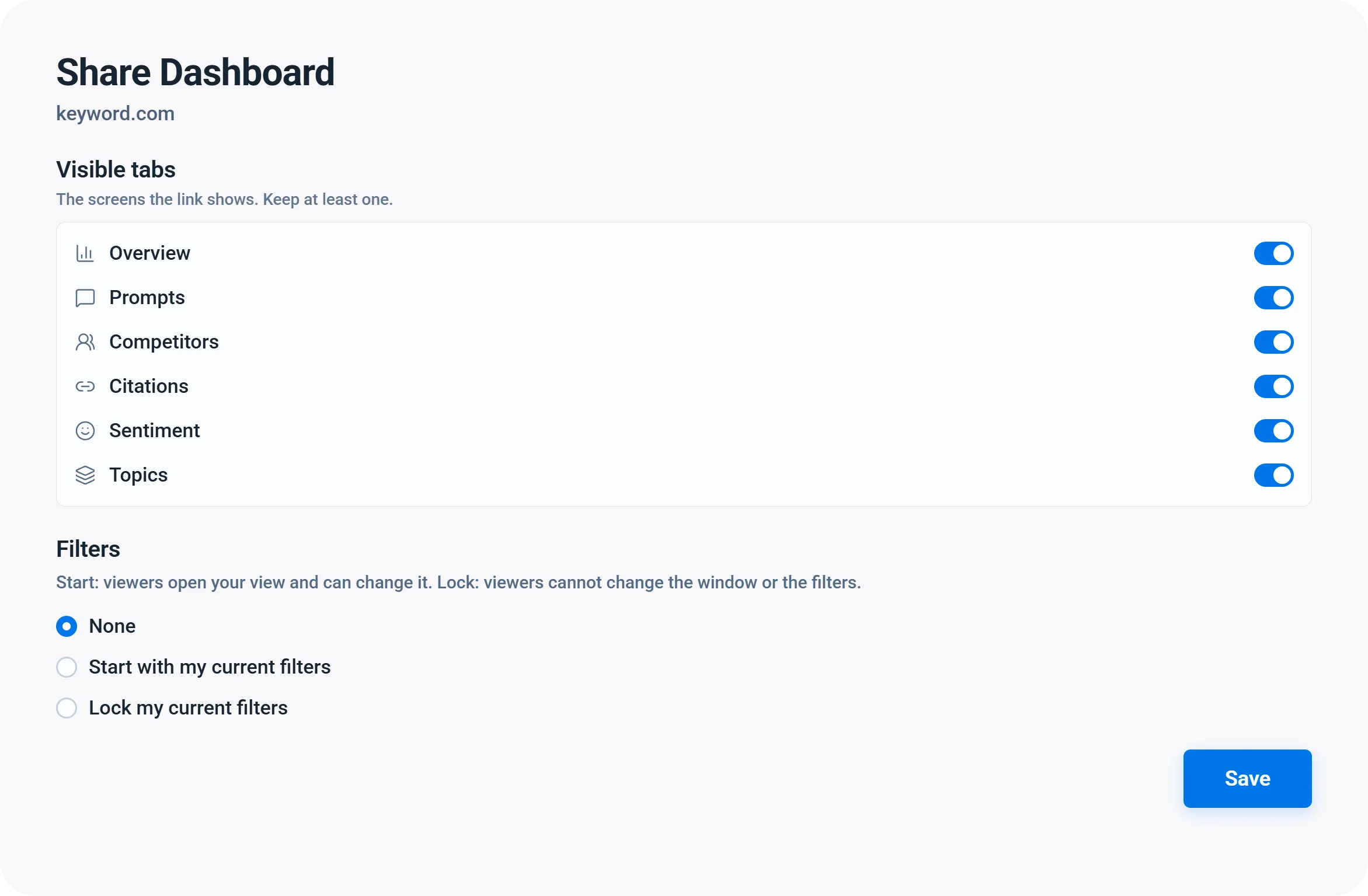
Clients ask whether AI tools recommend them. Give them a read-only share link to their AI Visibility dashboard. You choose which screens they see and can lock the filters, so clients see only the Claude results you want to share.

Need the data somewhere else? Export it as CSV, pull it into Looker Studio, or read it through the AI Visibility API and the MCP server. Google rankings and AI visibility sit in the same account, so you manage both in one place.

Explore reporting
AI Visibility metrics to share with clients

Find out what Claude says about your brand

Add your prompts, pick Claude, and see your first answers in the dashboard.

14-day free trial · No credit card required

Customer reviews

Trusted by 2,000+ agencies and SEO teams

“

You won't find a better keyword ranking tool than Keyword.com. The accuracy of the results are superb, and significantly better than any other keyword ranking tool I've ever used.

Matt Ross
Matt Ross
Hozio Digital Marketing Agency
“

Looking at your ranking clusters on aggregate and being able to see the big picture. I think that's incredibly valuable and I wouldn't want to live without Keyword.com because of that.

Steve Toth
Steve Toth
SeoNotebook.com
“

The tool's ability to provide insights into AI visibility on platforms like ChatGPT is a unique advantage for staying ahead in modern SEO.

Byron Redhead
Byron Redhead
First Page Digital

FAQ

Claude tracker FAQs

Answers to common questions about tracking your brand in Claude.

More features for rank tracking and SEO strategy

The keyword rank tracker

For smart, passionate SEOs that drive the industry forward.

Start free trial

14-day free trial · No credit card required